


Your old router might be perfectly fine, or it could be the reason your Netflix keeps buffering while your neighbor streams just fine. The difference often comes down to one thing: whether you’re running a single-band or dual-band router. Single-band routers use one 2.4 GHz frequency for all your devices, while dual-band routers add a faster 5 GHz network on top of that. Which one you actually need depends on how many devices you’re connecting, what you’re doing online, and whether your current setup is causing problems you’ve been blaming on your internet provider.
What Single Band and Dual Band Routers Are

A single-band router works exclusively on the 2.4 GHz frequency to move wireless data between your devices and the internet. It’s basically a single-lane road where everything you’ve got connected shares the same path. Your laptop, phone, smart TV, and whatever else needs WiFi all use one network that the router broadcasts.
Dual-band routers do more.
They run on both 2.4 GHz and 5 GHz at the same time, creating two separate wireless networks from one router. Think of it like having two roads instead of one. Devices can pick whichever path works better for what they’re doing. Both networks tap into the same internet connection, but they operate independently on different radio frequencies.
When you pull up available WiFi networks on your phone, a dual-band router usually appears as two options. Something like “YourNetwork” and “YourNetwork-5G.” You can connect devices to either one based on what you need. Stuff close to the router that needs faster speeds can use 5 GHz. Things farther away or that don’t need maximum performance can stick with 2.4 GHz. How these frequencies actually behave and what they’re good at is the real difference between single-band and dual-band.
Technical Frequency Differences and Home Layout Applications

The two frequency bands don’t act the same because radio waves at different frequencies move through air and obstacles differently.
The 2.4 GHz band gives you longer range and better obstacle penetration. The signal travels farther and pushes through walls, floors, and furniture more effectively than higher frequencies do. Single-band routers using Wireless-N max out around 900 Mbps theoretically, though real-world performance typically lands at 40-60% of that. The 2.4 GHz frequency only has three non-overlapping transmission channels, which limits how many nearby networks can run without stepping on each other. Despite slower top speeds, the physical nature of 2.4 GHz makes it reliable for reaching distant rooms and getting through building materials.
The 5 GHz band operates on Wireless-AC and supports theoretical speeds up to 5300 Mbps while staying backwards compatible with older Wireless-N gear. This frequency delivers dramatically faster data transmission, making it suitable for heavy activities like 4K streaming and online gaming. The 5 GHz band also stays less cluttered than 2.4 GHz because fewer household devices use it. You get faster, more stable connections with less interference. The catch? Shorter range and reduced wall penetration. The signal weakens faster as you move away from the router or put obstacles between your device and the access point.
If your home has thick walls, multiple floors, or concrete construction, the 2.4 GHz band’s superior wall penetration becomes especially valuable. In a two-story house with plaster walls or an older home with dense building materials, a 2.4 GHz signal might reach the far bedroom upstairs while 5 GHz from the same router location struggles to maintain strength. This physical reality explains why 2.4 GHz remains useful even though it’s slower.
Larger homes benefit from dual-band routers because you can use each band strategically. Put devices that need speed and sit close to the router on 5 GHz, like your gaming console in the living room or your work laptop at a nearby desk. Connect devices farther away or that don’t need maximum speed to 2.4 GHz, like your phone when you’re in the backyard or a smart thermostat upstairs.
Small apartments and single-level homes under 1500 square feet may get adequate coverage from a single-band router, especially if there aren’t many walls between the router and your devices.
Regardless of which type you choose, placement matters. Put the router in a central, elevated location away from thick walls and metal objects to get the best performance from whatever frequency bands you’re using.
Interference Problems and Device Capacity Management

Wireless interference happens when multiple devices or networks try to use the same radio frequency at the same time. Competing signals slow down your connection or cause it to drop entirely.
The 2.4 GHz band is particularly vulnerable because many common household devices broadcast signals on or near this frequency. Microwave ovens leak radiation in the 2.4 GHz range when running. Bluetooth devices like wireless speakers and headphones compete for space. Cellular phones during calls and data transmission add to the noise. Wireless security cameras, baby monitors, and neighboring WiFi networks from nearby apartments or houses all pile on.
Congested environments make these problems worse. In apartment buildings, you might detect 15-30 nearby WiFi networks all fighting for the same three non-overlapping channels on 2.4 GHz. The same issue affects offices, dormitories, and densely populated neighborhoods in large cities. When multiple networks overlap on the same channel, they all slow down because they’re constantly waiting for clear airspace to transmit data. This interference can cut your effective speed by 50% or more compared to what the router can actually deliver.
Single-band routers struggle when 5-8+ devices connect at once because all that traffic funnels through one frequency band with limited channels. You’ll notice slowdowns when multiple people stream video, download files, or play online games simultaneously. Connection drops become more frequent. Some devices may have trouble staying connected at all. The router simply doesn’t have enough bandwidth to handle everything efficiently when it’s all competing for the same limited spectrum.
Dual-band routers distribute device load across two separate frequencies, effectively doubling your network capacity and reducing interference impact. When you create two networks, you can dedicate one to high-bandwidth activities like streaming and gaming while using the other for basic web browsing and smart home devices. The 5 GHz network operates on a completely different frequency with more available channels, so it doesn’t compete with 2.4 GHz traffic or interference sources. This separation prevents one device’s heavy usage from slowing down everything else.
If you have 10+ connected devices or run an extensive smart home setup with cameras, sensors, and voice assistants, a dual-band router becomes necessary. The 5 GHz band experiences significantly less interference because fewer devices use it, and it has many more non-overlapping channels available. This cleaner environment translates directly to faster, more reliable connections for devices that support 5 GHz.
Performance Capabilities Across Different Use Cases

Different online activities place different demands on your network. Web browsing needs very little bandwidth. 4K streaming requires sustained high-speed data delivery without interruption.
Single-band routers offer theoretical maximum speeds around 800-900 Mbps using Wireless-N, but real-world performance typically falls to 300-500 Mbps under good conditions. It drops further with distance, obstacles, or interference. This level of performance works fine for basic activities like web surfing, checking email, scrolling social media, viewing photos, and standard-definition video streaming. If you primarily use the internet for light tasks and only have 2-3 devices connecting at once, a single-band router provides adequate service.
Performance degrades noticeably on single-band routers when multiple devices connect simultaneously or when you attempt bandwidth-intensive activities. These routers also lack modern features like device prioritization (which lets you give certain devices or activities preference for bandwidth), app-based network monitoring, and quality-of-service controls. You’ll encounter frequent connection stability issues when several family members try to use the network at the same time. Videos buffer. Game lag increases. Downloads slow to a crawl. The router simply doesn’t have the capacity or the technology to manage traffic efficiently.
Dual-band routers provide up to 100x more wireless bandwidth compared to single-band routers by accessing both frequency bands simultaneously. This isn’t just marketing language. When you can route traffic across two separate radio frequencies instead of forcing everything through one congested channel, the total data throughput available to your household increases dramatically. The 5 GHz band alone, operating on Wireless-AC, can deliver 5-6 times the speed of 2.4 GHz in ideal conditions.
For bandwidth-intensive activities like 4K or HD streaming, online gaming, video conferencing, and large file downloads, the 5 GHz band on a dual-band router provides the speed and stability these require. A 4K stream needs about 25 Mbps of consistent bandwidth. Online gaming needs fast response times with minimal lag. Video calls need steady upload and download speeds. When these activities run on the 5 GHz network, they get dedicated access to that frequency’s full capacity. Creating separate networks for different activity types prevents interference. Your gaming console on 5 GHz won’t compete with smart home sensors on 2.4 GHz, and neither affects the other’s performance.
If multiple people in your household stream video, game online, or use the internet for work at the same time, a dual-band router is necessary. The single-band alternative will struggle to distribute bandwidth fairly, resulting in buffering, lag, and frustration for everyone trying to use the network simultaneously.
Comparing Device Compatibility Between Router Types
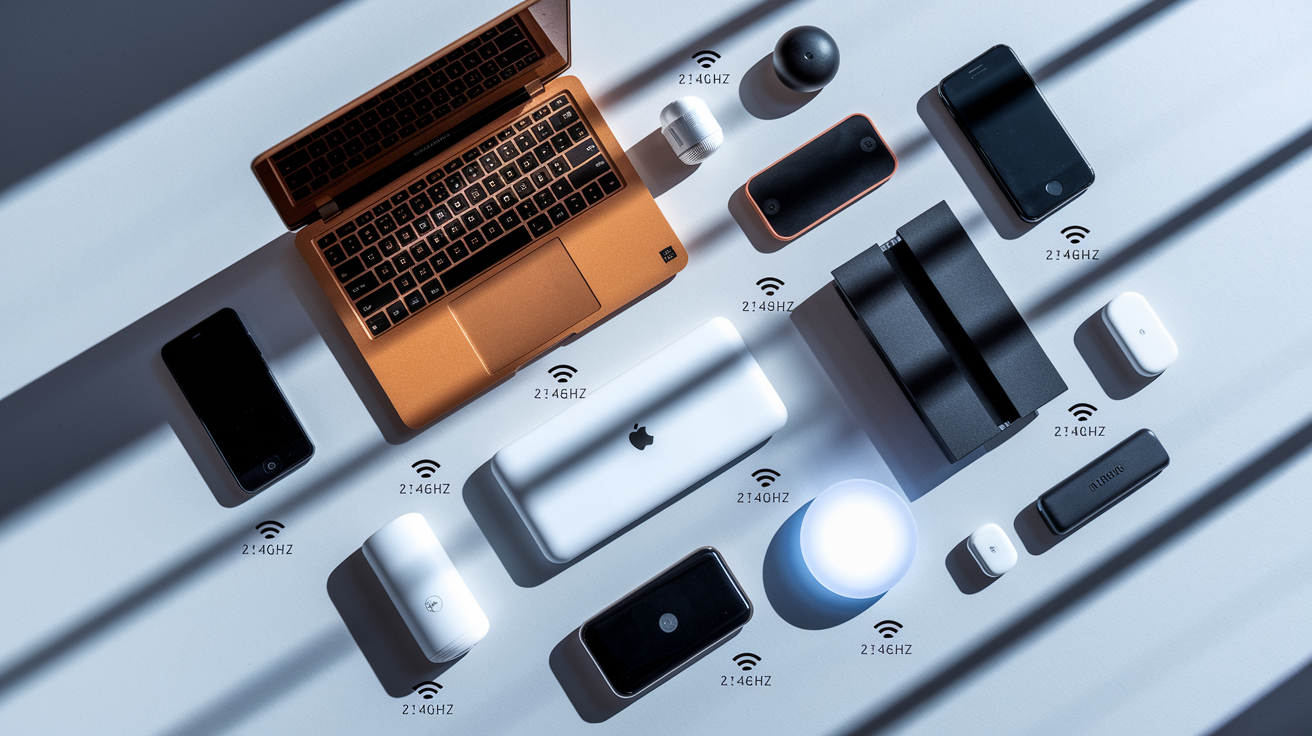
All WiFi-enabled devices support 2.4 GHz because this frequency band has been part of WiFi standards since the technology was introduced. This universal compatibility makes single-band routers work with everything from a laptop you bought in 2010 to a smart plug you purchased last week. You’ll never connect a device to a single-band router and discover it’s incompatible.
The 5 GHz band appeared in WiFi standards later, so compatibility depends on when your device was manufactured and what WiFi standard it supports. Devices made before 2013 typically don’t support 5 GHz at all. Newer smartphones, laptops, tablets, and streaming devices released after 2015 almost always include 5 GHz capability. Many low-cost IoT devices like smart bulbs, sensors, and budget security cameras still only support 2.4 GHz to keep manufacturing costs down. If you’re not sure whether a device supports 5 GHz, check the specifications or look for WiFi 5 (802.11ac) or WiFi 6 (802.11ax) in the device’s technical details.
| Device Type | 2.4 GHz Compatible | 5 GHz Compatible |
|---|---|---|
| Older laptops (pre-2013) | Yes | Usually no |
| Modern smartphones (2015+) | Yes | Yes |
| Smart home devices (bulbs, sensors) | Yes | Usually no |
| Gaming consoles (PS5, Xbox Series) | Yes | Yes |
| Streaming devices (Roku, Fire Stick) | Yes | Most models yes |
| Budget IoT devices | Yes | Usually no |
Dual-band routers solve compatibility concerns by supporting both frequencies. Devices that only work with 2.4 GHz connect to that network. Newer devices that support 5 GHz can use the faster band. You don’t have to choose between supporting your old devices or taking advantage of modern speed improvements.
Cost Differences and Budget Considerations

Single-band routers are the least expensive option, typically ranging from $20 to $40 depending on brand and features. This makes them suitable for tight budgets or temporary networking situations where you need basic connectivity without spending much.
Dual-band routers cost $50 to $150 or more depending on performance specifications, build quality, range capabilities, and additional features like app-based management, parental controls, and guest network support. Mid-range models in the $70-90 range typically provide good performance for average households.
The cost-benefit calculation often favors spending more upfront for dual-band capability. If you buy a $30 single-band router today and discover six months from now that it can’t handle your needs, you’ll end up buying a dual-band router anyway and spending more total money. Technology moves toward requiring more bandwidth, not less. Investing in dual-band now prevents needing to upgrade soon. Think of it like a backup. Better to have the capacity before you need it.
The price difference between single-band and dual-band routers has narrowed significantly over the past few years as dual-band technology became standard. You can find capable dual-band routers for $50-60, which isn’t much more than the cheapest single-band models. This makes dual-band accessible for most budgets.
Router Selection Guide Based on Usage Needs

Your choice between single-band and dual-band should match four primary factors. How many devices you connect, what you do online, how large your space is, and what you can spend.
| Choose Single-Band If… | Choose Dual-Band If… |
|---|---|
| Budget is under $40 and can’t stretch higher | Budget allows $50+ investment |
| Living in small apartment or dorm under 800 sq ft | Home is over 1200 sq ft or has multiple floors |
| Internet use is primarily web browsing and email | Regular HD/4K streaming, gaming, or video calls |
| Connecting 3 or fewer devices total | Connecting 5+ devices, especially simultaneously |
| All devices are older models that only support 2.4 GHz | Mix of old and new devices with varying capabilities |
For specific household profiles, a single person in a studio apartment who mainly checks email and browses social media can use a single-band router without issues. A family of four in a two-story house where multiple people stream video and game online needs a dual-band router. College students living in crowded housing with many competing networks benefit significantly from dual-band’s 5 GHz access. Remote workers who use video conferencing regularly should choose dual-band for connection stability. Households with extensive smart home devices (10+ connected products) need dual-band to distribute the device load effectively.
Most new router purchases should favor dual-band unless you’re facing severe budget constraints or only have older devices that can’t use 5 GHz anyway. The added flexibility and capacity justify the modest price increase for most situations, and the router will remain useful longer as your internet needs change.
Setup and Configuration Basics for Both Router Types

Single-band router setup involves creating one network name (SSID) and password, then connecting your devices. You’ll access the router’s settings through a web browser or mobile app, follow a setup wizard, and be online in 10-15 minutes.
Dual-band routers give you configuration options during setup. You can create two separate network names (one for each frequency band), like “HomeNetwork” for 2.4 GHz and “HomeNetwork-5G” for 5 GHz. This lets you manually choose which band each device uses by connecting to the appropriate network name. Alternatively, many dual-band routers offer a single network name with automatic band steering, where the router decides which frequency to use for each device based on signal strength and capabilities. Some people call this “smart connect” or “auto mode.”
Manual band selection using separate network names gives you complete control over which devices use which frequency, but it requires you to understand which band works better for each device and remember to connect things correctly. Automatic band steering is more convenient because everything happens behind the scenes, but you lose the ability to override the router’s decisions if it makes choices you disagree with. For example, band steering might keep a device on 2.4 GHz when you’d prefer it use 5 GHz. Most users find automatic steering works well enough and prefer the convenience.
Both router types typically complete initial setup in 10-15 minutes using either a web-based interface accessed through a browser or a mobile app provided by the router manufacturer. Modern routers include guided setup wizards that walk you through each step with simple instructions, making configuration straightforward even if you’re not technically experienced.
Final Words
Single-band routers work fine for small spaces with basic internet needs, while dual-band routers handle modern households better by splitting traffic across two frequencies.
If you’re setting up a new home network or replacing an old router, the difference between single vs dual band router explained comes down to how many devices you connect and what you do online.
Most people benefit from dual-band now that prices have dropped. You get better performance for streaming and gaming, plus room to grow as you add more devices.
For apartments under 1000 square feet with light use, single-band saves money. For everyone else, dual-band is the smarter pick.
FAQ
Which is better, a single band or dual band router?
A dual band router is better for most households because it provides faster speeds on the 5 GHz band while maintaining compatibility with all devices on 2.4 GHz. Single band routers work fine for small spaces with basic internet needs like browsing and email.
Why would I need a dual band router?
You need a dual band router if you stream 4K video, play online games, have a large home with multiple floors, or connect 10+ devices simultaneously. Dual band routers reduce interference and prevent slowdowns when multiple devices use the network at once.
Is a dual band router worth it?
A dual band router is worth it for most homes because it prevents connection problems as you add devices, handles bandwidth-intensive activities better, and costs only $30-50 more than single band models. The investment prevents needing to upgrade later.
Does my router do both 2.4 and 5 GHz?
Your router does both 2.4 and 5 GHz if it’s labeled as dual band or shows two separate WiFi networks in your connection list. Check your router’s label or settings page to confirm which frequencies it supports.